
When it comes to creating stunning heat transfers for custom apparel, not all printers are created equal. In fact, understanding which printers are compatible with heat transfer materials can make or break your project. Many enthusiasts grapple with whether their existing printer can handle the specific requirements for print quality and durability. Whether you’re starting your creative journey or looking to enhance your current setup, this compatibility guide will demystify the options available to you. By the end, you’ll be equipped with the knowledge to choose the right printing technology, ensuring your designs not only look great but also stand the test of time. Dive in to discover how to harness the full potential of heat transfer printing!
Choosing the Right Printer for Heat Transfer Printing
can significantly impact the quality and durability of your designs. It’s a common misconception that any printer can handle heat transfer processes. In reality, specific features and compatibilities are essential for achieving the best results. For instance, dye-sublimation printers are favored for their ability to create vibrant colors and detailed images on fabric, making them ideal for textiles. On the other hand, inkjet printers can be used effectively for heat transfer if they are equipped with the right ink.
When selecting a printer, consider the type of heat transfer material you plan to use. Different methods, such as heat transfer vinyl (HTV) or inkjet transfers, may require different printer technologies. Printers that allow you to use pigment-based inks are typically recommended because they provide excellent adhesion to transfer papers, especially when dealing with fabric. Additionally, look for models with higher print resolutions; this can make a noticeable difference in the clarity of the final product.
Essential Features: It’s crucial to ensure that your printer has certain features that enhance its performance for heat transfer work. These include:
- Wide Format Capability: If you plan to print large designs, a wide-format printer will be necessary.
- Ink Compatibility: Make sure that the printer can use the inks suitable for your chosen heat transfer method.
- High Print Quality: Look for printers with high DPI (dots per inch) capabilities for detailed and sharp images.
By understanding these key factors, you can make an informed decision that will reduce frustration and improve the quality of your heat transfer prints, ensuring that your creative projects turn out as envisioned.
Understanding Heat Transfer Printing Methods
When diving into the world of heat transfer printing, understanding the various methods available is crucial for achieving the best results. Each heat transfer technique has its own strengths, limitations, and ideal applications, which can significantly affect the final product. For instance, one of the most popular methods is heat transfer vinyl (HTV), which involves cutting designs from colored vinyl and using heat to adhere them to fabric. This method is particularly effective for solid colors and offers excellent durability, making it ideal for custom apparel and logos.
Another prevalent technique is inkjet transfers, where special transfer paper is printed with an inkjet printer and then heat-pressed onto fabric. This method is versatile and highly accessible, allowing for complex designs and photographs. However, the type of ink you use is vital; pigment-based inks are recommended because they bond better with the transfer paper and fabric, ensuring vibrant colors and longevity. For high-quality, full-color images, dye-sublimation printing is the go-to method. This involves printing designs onto a special paper with sublimation ink, which is then transferred to polyester-based materials using heat. This process permanently embeds the ink into the fabric, resulting in stunning, fade-resistant designs that can withstand multiple washes.
Understanding Different Methods
In summary, here are the primary heat transfer methods and their key characteristics:
- Heat Transfer Vinyl (HTV): Best for solid colors, logos, and simple graphics; provides good durability.
- Inkjet Transfers: Versatile, suitable for photos and complex designs; requires pigment-based inks.
- Dye-Sublimation Printing: Ideal for full-color, intricate patterns on polyester fabrics; offers vibrant, long-lasting results.
Additionally, there are transfer methods like Direct to Film (DTF) transfers gaining popularity for their convenience and high-quality output. DTF printing allows for vibrant prints on a variety of fabrics, making it an excellent choice for diverse projects, especially in commercial applications.
By becoming familiar with these methods, you can better choose the right printer and material combination, ensuring your heat transfer projects not only meet but exceed your expectations. As you explore your options, consider the specific requirements of your projects, including the fabric type, desired durability, and the complexity of your designs, to find the method that best matches your creativity and functionality needs.
Essential Features Your Printer Must Have
When it comes to heat transfer printing, selecting the right printer can significantly impact the quality and durability of your finished products. Not all printers are created equal, and certain features are essential to ensure optimal performance for heat transfer applications. A quality printer capable of delivering vibrant, long-lasting prints requires specific attributes that cater to various heat transfer methods.
First and foremost, your printer must have high resolution. This is crucial for capturing intricate designs and details, especially if you plan to print photographs or complex graphics. Look for printers with at least 4800 x 1200 dpi resolution, as this will help produce sharp and clear images that can withstand the heat transfer process. Additionally, consider the ink compatibility. For heat transfer vinyl (HTV) and inkjet transfers, ensure that your printer uses pigment-based inks, as they tend to bond better with transfer papers and textiles, resulting in vibrant colors. If you’re leaning towards dye-sublimation printing, opt for printers that support sublimation inks specifically designed for this process, allowing for fade-resistant and stunning prints on polyester fabrics.
Next, versatility in media handling is another vital feature. A printer that accommodates various paper types-including glossy transfer paper and vinyl-can enhance your capabilities. This flexibility permits experimentation with different finishes, contributing to creative designs in your projects. Furthermore, user-friendly software integration simplifies the design process. Make sure the printer comes with or is compatible with graphic design software that allows you to create, modify, and optimize designs efficiently, enabling a smooth workflow from design to heat transfer application.
For those contemplating commercial use, consider models with robust build quality and high duty cycles. These printers are built to handle more frequent use and higher volumes, ensuring that you can meet customer demands without compromising on print quality. Lastly, it’s wise to examine heat transfer performance. Check user reviews and testimonials regarding how well the printer performs under heat press conditions, as this practical insight can guide your purchase decision effectively.
In summary, prioritizing high resolution, ink compatibility, media versatility, and reliable heat transfer performance will equip you with the right printer for successful heat transfer printing projects. By understanding these essential features, you can make an informed decision that supports your creative endeavors and meets professional standards.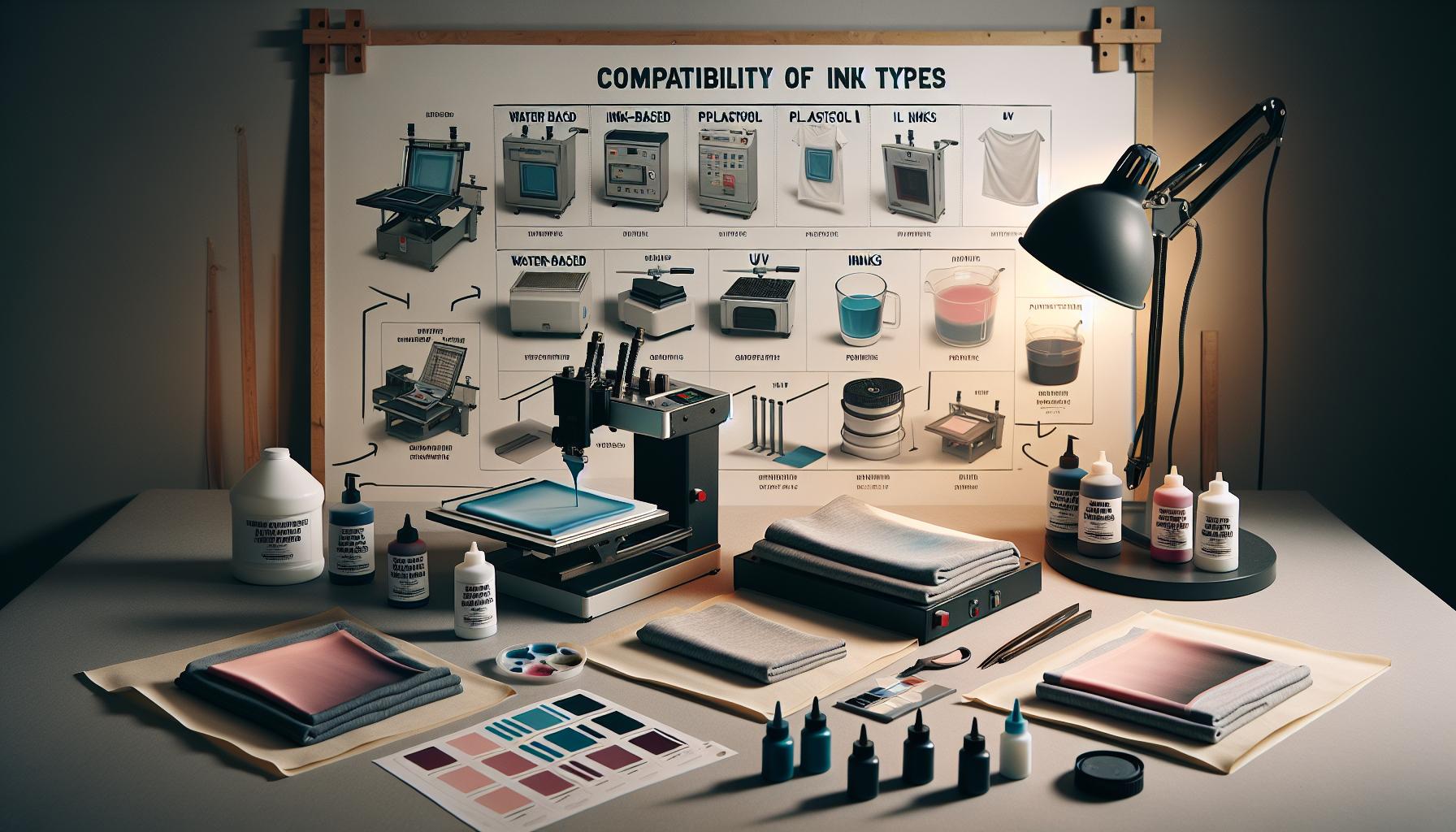
Compatibility of Ink Types with Heat Transfer
When considering heat transfer printing, the type of ink used can dramatically influence the quality and longevity of your designs. Not all inks are compatible with all printing methods, and understanding this compatibility is crucial for achieving optimal results. When using heat transfer methods like heat transfer vinyl (HTV) or dye-sublimation printing, knowing which inks to utilize will help you avoid common pitfalls and ensure your designs adhere well to fabrics.
Types of Inks Used in Heat Transfer Printing
The primary ink types employed in heat transfer printing are pigment-based inks, dye-based inks, and sublimation inks. Each serves specific purposes and works best with certain transfer methods:
- Pigment-based inks: Ideal for inkjet transfers and HTV, these inks adhere well to various transfer papers, ensuring vibrant colors and excellent durability on textiles. They resist fading and are suitable for a wide range of fabrics, making them a popular choice among hobbyists and professionals alike.
- Dye-based inks: Commonly used for desktop inkjet printers, these inks produce bright and vivid colors. However, their permanence may not match that of pigment inks, especially on untreated fabrics. They work best on fabrics that are coated or treated to accept dye.
- Sublimation inks: Specifically formulated for dye-sublimation printing, these inks are designed to turn into gas when heated. This property allows the ink to dye synthetic fabrics like polyester. As a result, sublimation prints are exceptionally durable and resistant to fading, making them ideal for performance apparel and home textiles.
Choosing the Right Ink for Your Project
Compatibility also extends beyond the type of ink; it includes understanding the materials you plan to print on. For instance, if you intend to create vibrant designs on cotton fabrics, using an HTV approach with pigment-based inks is advisable. On the other hand, for lighter synthetic fabrics, sublimation will yield the best results, given its ability to infuse colors deeply into the material.
In practical terms, if you are utilizing an inkjet printer, verify that your model supports pigment inks if you are leaning towards HTV or standard transfer methods. Conversely, if sublimation is your desired technique, ensure that your printer specifically accommodates sublimation inks. Compatibility with the printing method and the intended fabric is essential, as it will impact not only the visual outcome but also the durability of the final product.
To make informed decisions, refer to manufacturer guidelines and conduct tests with different substrates to see how each ink performs under heat transfer conditions. This hands-on testing can save time, resources, and disappointment, paving the way for successful heat transfer printing projects.
Best Printers for Home-Based Heat Transfer
Finding the right printer for home-based heat transfer printing can significantly impact your creative projects, transforming your visions into vibrant realities. While many models promise stellar performance for various tasks, not all printers are created equal when it comes to heat transfer compatibility. The ideal choice depends largely on the type of heat transfer method you plan to use-whether it’s Heat Transfer Vinyl (HTV), dye-sublimation, or traditional paper transfers.
When considering printers for HTV projects, inkjet models equipped with pigment-based inks are a solid choice. These inks adhere well to transfer materials and produce vibrant, durable designs. Recommended models often include the Epson EcoTank series or the Canon PIXMA line, both known for their exceptional color accuracy and ability to handle a variety of media. An important feature to look for is a wide color gamut, which ensures that your designs pop with vivid colors and fine details.
For those interested in dye-sublimation printing, specialized sublimation printers are essential. Brands like Sawgrass and Epson’s SureColor series are tailored for this technique, allowing you to print directly onto appropriate substrates. These printers use proprietary sublimation inks that turn into gas when heated, allowing them to permeate synthetic fabrics-particularly polyester-creating long-lasting, fade-resistant prints. Here, it’s crucial to ensure that the printer you select can handle the specific requirements of sublimation, including temperature settings and paper feed.
In addition, consider the following factors when choosing the best printer for home use:
- Print Size: Assess the maximum print size to align with your project needs, especially for larger apparel or items.
- Connectivity: Wi-Fi or Bluetooth options can simplify your workflow, allowing easy transfer from design software to the printer.
- Operating Costs: Look at ink costs and the yield of cartridges to understand long-term expenses.
By evaluating these features and understanding the specific heat transfer method you wish to employ, you can make an informed decision that enhances both your creativity and production capabilities.
Commercial Printers: What You Need to Know
Finding the right commercial printer for heat transfer applications is crucial, especially if you’re running a business or aspire to scale your creative projects. Unlike standard office printers, models designed for heat transfer boast features that enable high-quality, durable prints. Understanding what to look for can significantly enhance your output and efficiency.
First and foremost, consider the type of heat transfer method you intend to use. Dye-sublimation printers are specifically engineered for sublimation printing processes, which require heat to convert ink into a gas that permeates materials. Brands like Sawgrass and Epson produce models that excel in this realm, offering precision and vibrant colors on polyester fabrics. On the other hand, if your focus is on Heat Transfer Vinyl (HTV), choose an inkjet printer that accommodates pigment-based inks, which adhere effectively to the vinyl surface. These printers typically support a broader range of media types, enhancing versatility.
Another critical factor is printing speed and volume. Commercial printers generally offer faster speeds and higher duty cycles than typical consumer models, allowing you to meet large orders efficiently. When selecting a printer, look for specifications such as pages per minute (PPM) and monthly page volume recommendations. Additionally, assess the size of your projects; larger printers enable more extensive prints, which could be a game-changer for customized apparel and promotional materials.
Finally, maintenance and support options are essential. Commercial printers often come with warranties and customer support tailored to businesses. Regular maintenance can prevent costly downtimes, so understanding the support structure of the printer vendor plays a vital role in long-term satisfaction and productivity. Investing in a printer that combines functionality, speed, and reliable support can pave the way for your success in the heat transfer printing market.
Common Misconceptions About Printer Compatibility
Misunderstanding printer compatibility for heat transfer applications is more common than you might think. Many people assume that virtually any printer can produce acceptable heat transfer prints, but that’s not the case. For high-quality results, it’s crucial to choose the right type of printer that aligns with your intended method of heat transfer. For instance, a standard inkjet printer might be tempting due to its widespread availability, but if it isn’t designed for heat transfer, you could end up with subpar or even unusable prints.
One prevalent misconception is that all inkjet printers can handle Heat Transfer Vinyl (HTV) printing. While some inkjet printers are compatible, not all of them are equipped to handle the higher ink viscosity and specific heat requirements needed for HTV. For instance, printers designed for dye-sublimation printing utilize specific dye inks that become gas under heat, allowing for permanent bonding with polyester and synthetic fabrics. Thus, assuming that any inkjet will work could lead to frustration when the prints don’t adhere properly and begin to peel or fade.
Another critical point of confusion is the notion that printer brands mean little when it comes to heat transfer capabilities. While some users have reported success with lesser-known brands, established manufacturers like Epson or Sawgrass produce printers specifically optimized for sublimation and HTV printing, ensuring consistent and high-quality results. Investing in a printer specifically intended for your heat transfer method will save time, waste, and ultimately affect the quality of your final product.
To navigate the complexities of printer compatibility with ease, it’s highly recommended to consult manufacturer guidelines and possibly even user reviews. This thorough approach allows you to align your equipment with the demands of your projects. Additionally, consider factors like ink types, heat settings, and even calibration when setting up your printer for heat transfer, as these can significantly impact your printing experience and outcomes.
How to Test Your Printer’s Heat Transfer Capability
To determine whether your printer can effectively handle heat transfer printing, you can conduct a few simple tests and evaluations. Start by checking the specifications and capabilities of your printer model. Many printers come with detailed information about their functionalities, including whether they support specific heat transfer methods such as HTV or dye-sublimation. Look for mention of compatible ink types and recommended substrates for heat transfer.
Once you’ve confirmed the printer’s specifications, the next step is to conduct a test print. Prepare a design specifically for heat transfer purposes using appropriate software, taking care to mirror the image beforehand if your method requires it. Use heat transfer paper designed for your printer type-inkjet, laser, or dye-sublimation. Print the design, paying attention to color output and resolution. A successful test print should exhibit vibrant colors with no smudging or fading, indicating that your printer can adequately manage the ink flow and speed under heat-transfer conditions.
Another practical test is to apply the printed design onto a sample fabric. Heat your transfer press or iron to the recommended temperature for your specific heat transfer method. Carefully follow pressing guidelines: time, temperature, and pressure are crucial for ensuring proper adhesion. After transferring, let it cool, then check the durability of the print. Gently peel away the backing to see if the print adheres well to the fabric without lifting or cracking. If the print bonds properly and retains quality, your printer is well-suited for heat transfer printing.
Additionally, consider monitoring the printer performance over time. Regularly assess print quality to catch any potential issues that could arise due to wear and tear, such as clogged nozzles or inconsistent ink flow. Always refer to manufacturer recommendations for routine maintenance, as keeping your printer in optimal condition is key to achieving the best results in heat transfer printing.
Maintenance Tips for Optimal Heat Transfer Performance
To achieve outstanding results in heat transfer printing, maintaining your printer is crucial. Regular upkeep not only prolongs the life of your equipment but also ensures consistent, high-quality output. For instance, did you know that a clogged nozzle can lead to uneven prints and compromised colors? Regular maintenance can prevent these issues, keeping your prints looking vibrant and professional.
One of the simplest yet most effective maintenance practices is performing routine cleanings. Depending on your printer type, utilize the built-in cleaning functions to flush out the print head. This is especially important for inkjet printers, where ink can dry and cause blockages. Alongside print head cleaning, make sure to regularly check and replace ink cartridges as needed. Using high-quality inks specifically designed for heat transfer printing can significantly improve print quality and adhesion to substrates.
Another aspect to consider is the printer’s environment. Dust and debris can accumulate in and around your printer, affecting performance. Maintain a clean workspace and consider using a dust cover when the printer is not in use. Furthermore, monitor the humidity and temperature levels in your workspace. Extreme fluctuations can impact ink flow and the effectiveness of heat transfer processes. A stable, controlled environment fosters optimal printing conditions that enhance the performance of your printer.
Lastly, listen to your printer. Any unusual noises, such as grinding or clicking, often indicate mechanical issues that need immediate attention. Refer to user manuals for troubleshooting tips or contact support if problems persist. By staying proactive in your printer maintenance tasks, you will ensure that your heat transfer printing projects yield the best possible results, allowing your creativity to shine through without technical setbacks.
Troubleshooting Common Heat Transfer Issues
In the world of heat transfer printing, it’s common to encounter issues that can compromise print quality. Misalignments in transfer, uneven ink distribution, and undesirable color effects can all stem from various factors related to printer capabilities and setup. Understanding these potential pitfalls can empower you to troubleshoot effectively and ensure high-quality results in your projects.
One prevalent issue is ink bleeding, often caused by using the wrong type of ink for your printer. For example, inkjet printers require dye-sublimation inks for successful heat transfers; using regular ink can lead to smudged and unclear images. To troubleshoot, verify that you’re using ink compatible with your specific printing method. Additionally, consider lowering the print speed and increasing the quality settings to allow for more precise ink application.
Another common problem is poor adhesion of the transfer to the fabric. This can occur if the heat press temperature is insufficient or if the pressure applied during transfer is too low. Always check your heat press settings to ensure they align with the recommendations for your material type. Testing on scrap fabric can help you fine-tune the settings before proceeding with your final prints. If transfers still fail to adhere, cleaning both the heat press and the substrate may resolve residue issues that inhibit adhesion.
Color inconsistency is yet another frustrating issue. This can arise from incorrect color profiles or printer calibration. To troubleshoot, make sure your printer is properly calibrated and that you are using the right profiles for heat transfer printing. Regularly printing color charts and comparing them against a color standard can help identify discrepancies early in the process. Furthermore, monitor your ink levels and replace cartridges when necessary, as low ink can distort colors significantly.
By proactively addressing these common issues, you can enhance the effectiveness of your heat transfer printing. Each problem has specific steps for troubleshooting, and honing your skills in this area leads to more successful and satisfying results in your creative endeavors.
Eco-Friendly Printer Options for Heat Transfers
In the increasingly eco-conscious world of heat transfer printing, choosing the right printer can make a significant difference not only in your prints but also in reducing your environmental footprint. Eco-friendly printers offer a range of benefits, including lower energy consumption, less waste, and the use of sustainable materials. These options are not just good for the planet-they can also enhance the quality and longevity of your printed designs.
Many eco-friendly printers utilize water-based inks, which are less harmful to both users and the environment compared to traditional solvent-based inks. Water-based inks allow for vibrant colors and are easier to clean up, reducing chemical exposure and waste. Moreover, some manufacturers are now producing ink cartridges made from recycled materials or offering a cartridge recycling program, encouraging users to reduce landfill waste. When selecting a printer for heat transfer, look for models that support these types of inks, as they are compatible with various fabrics and yield excellent results.
Another exciting advancement in eco-friendly printing technology is the rise of energy-efficient printers. Many modern printers are designed to consume less power, which not only lowers your electricity bill but also minimizes your carbon footprint. Look for printers that have the ENERGY STAR certification, as these models meet strict efficiency guidelines set by the U.S. Environmental Protection Agency. When paired with energy-efficient heat presses, you can set up a completely sustainable printing workflow.
Investing in eco-friendly practices also includes using printers that can work with recyclable transfer papers. Some brands offer specialized papers that not only yield high-quality prints but are also designed to be more environmentally friendly. Furthermore, properly maintaining your eco-friendly printer can extend its life and reduce the waste associated with replacing equipment frequently. Regularly cleaning print heads, updating software, and using quality inks are practical steps to promote longer-lasting, more sustainable printing solutions.
By making informed choices about your printing equipment and supplies, you can contribute positively to the environment while still achieving excellent heat transfer results. Emphasizing sustainability in your print business doesn’t just meet consumer demand; it demonstrates your commitment to responsible practices that can lead to long-term benefits for your brand and the planet.
Cost Considerations for Heat Transfer Printers
Investing in a printer for heat transfer printing involves more than just the initial purchase price; there are a multitude of factors that can impact your overall costs and business success. Selecting the right printer can save you money in the long run and enhance the quality of your prints. Here are some key cost considerations to keep in mind as you make your decision.
The initial cost of printers designed for heat transfer is often higher than standard printers. This is largely due to their specialized components and capabilities tailored for heat transfer processes. While it might be tempting to opt for cheaper models or conventional printers, this could lead to increased expenses on transfer papers, inks, and wasted materials caused by subpar output. Additionally, cheaper printers may not be designed to handle the specific inks used for heat transfers, leading to more frequent jams or failures and ultimately impacting productivity.
Ink Cost and Compatibility
Another significant cost component involves the type of ink used. High-quality inks specifically formulated for heat transfer printing can vary widely in price. Here are some factors to consider:
- Ink Type: Eco-solvent inks may be initially more expensive but tend to produce vibrant colors and last longer, reducing the frequency of reprints.
- Cartridges: Consider printers with refillable ink tanks, which can significantly reduce the cost per print compared to traditional cartridge-based systems.
- Brand Loyalty: Certain printers work best with specific brands of ink, which can affect overall costs if those brands are pricier.
Overall, achieving a balance between upfront costs and long-term expenditure is crucial. Investing in a quality printer that’s compatible with efficient inks can lower operational costs and improve your print quality, thereby enhancing customer satisfaction and your bottom line.
Maintenance and Upkeep
Lastly, factor in the ongoing maintenance costs associated with your printer. Regular maintenance can prevent costly repairs or replacements in the future. This might include cleaning print heads, replacing worn parts, or even software updates to ensure efficient operation. Budgeting for regular maintenance can extend the life of your printer, minimizing costs over time.
Taking a holistic approach to the cost considerations associated with heat transfer printers will ensure that you not only make a smart investment but also set your print business up for sustainable success. The right choice today can lead to significant savings and efficiency improvements tomorrow.
Q&A
Q: What types of printers are compatible with heat transfer methods?
A: Inkjet, laser, and sublimation printers can be compatible with heat transfer printing, but not all models are suited for this purpose. Inkjet printers that use pigment or dye sublimation inks are most commonly used. For detailed compatibility based on your specific printer model, refer to the Choosing the Right Printer for Heat Transfer Printing section of our article.
Q: Can I use regular paper with heat transfer printers?
A: No, regular paper is not suitable for heat transfer printing. You should use specialized heat transfer paper designed for your printer type to ensure optimal adhesion and print quality. For more information, see our section on Understanding Heat Transfer Printing Methods.
Q: How does printer maintenance affect heat transfer results?
A: Proper maintenance is crucial for achieving consistent heat transfer results. Regular cleaning of the printer heads and usage of high-quality ink helps prevent clogging and color fading. For comprehensive maintenance tips, explore the Maintenance Tips for Optimal Heat Transfer Performance section in our article.
Q: What common mistakes should I avoid when using a printer for heat transfer?
A: Common mistakes include using the wrong paper, not setting the correct temperature and pressure, and overlooking printer maintenance. To learn how to avoid these pitfalls, check our section on Common Misconceptions About Printer Compatibility.
Q: Is a color printer necessary for heat transfers?
A: Yes, a color printer is often necessary for heat transfers, especially if you want to print vibrant designs. However, some designs can be achieved with a black-and-white printer using specialty transfer techniques. For a detailed exploration, see the Best Printers for Home-Based Heat Transfer section.
Q: What temperature settings are recommended for heat transfer printing?
A: The recommended temperature settings vary by paper type but are generally around 350°F to 400°F. Always refer to the specific instructions provided with your heat transfer paper and test your printer’s settings for best results. More on this can be found in our How to Test Your Printer’s Heat Transfer Capability section.
Q: Are eco-friendly inks available for heat transfer printing?
A: Yes, there are eco-friendly inks specifically designed for heat transfer printing. These inks are often water-based and free from harmful solvents. For more details on sustainable options, see our section on Eco-Friendly Printer Options for Heat Transfers.
Q: How do I know if my printer is suitable for sublimation heat transfer?
A: To determine if your printer is suitable for sublimation heat transfer, check if it uses sublimation ink and has the required temperature settings. Additionally, sublimation printing works best with specific polyester-coated surfaces. For a deeper dive, review the Compatibility of Ink Types with Heat Transfer section of our article.
To Wrap It Up
In conclusion, choosing the right printer for heat transfer projects is essential for achieving professional-quality results. While you may be tempted to use any printer, understanding compatibility is key to avoiding future frustrations. Take the first step towards enhancing your heat transfer skills by exploring our comprehensive guides on printable materials and heat press techniques to optimize your creative process. Don’t let uncertainty hold you back; dive deeper into our resources, and ensure you’re equipped with the knowledge to select the best printer suited for your needs.
Have questions or insights? We’d love to hear from you in the comments below! For more expert tips and tutorials, consider signing up for our newsletter, where you’ll receive the latest updates and exclusive offers tailored to your crafting journey. Make sure to explore products that can elevate your heat transfer projects; every choice you make adds to your expertise. Remember, the right tools combined with the right knowledge can transform your creative pursuits into stunning results.


